
This document provides information that can be configured before using the ePaperless software.
This document is intended for unit administrators and individuals using ePaperless.
Enable 2FA authentication:
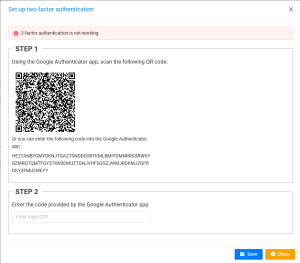
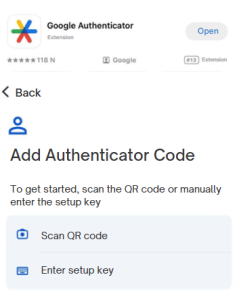
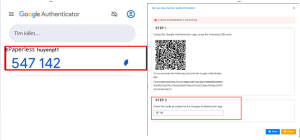
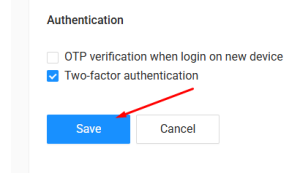
Log in with 2FA
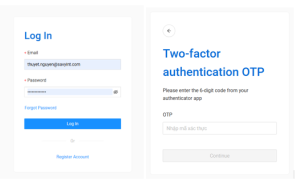
In addition to setting up 2FA, you can also add other security settings such as: OTP authentication when logging in to a new device, adding a phone number and account recovery email.
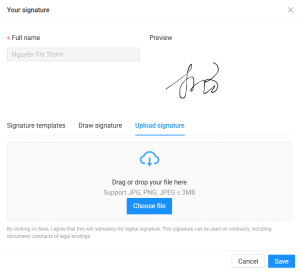
At ePaperless home page, click “ Displayed name” with handwritten font on the Welcome pane
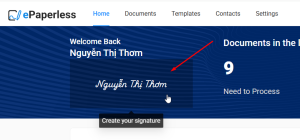
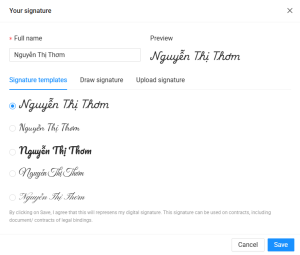
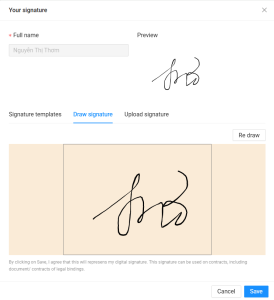
The system displays “Setting signature template” pop-up. There are 3 methods which user can use:
Install the USB Token digital signing tool:
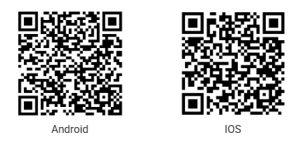
Install the TrustSign - Remote digital signature authentication app:
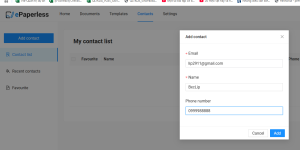
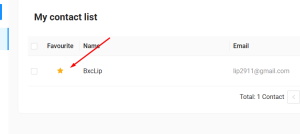
Purpose: Add emails and contacts to prioritize suggestions or add to favorites
Savyint ePaperless is a comprehensive technology solution that helps businesses and individuals digitize documents, automate processes, and perform secure digital signatures. The product allows for flexible document tracking, lookup, management, and storage, easy access anytime, anywhere.
Document the Troubleshooting Guide during the use of ePaperless, includes a list of common problems, causes, and solutions.
Troubleshooting guide can be useful for both the user and the technician. Users can use this guide to try to troubleshoot problems by themselves. Technicians can use this guide to diagnose and troubleshoot problems faster. If you have a problem with the product, referring to the troubleshooting manual is a good step to fix the problem. You can also seek help online or contact customer support.
The documentation used for the Savyint ePaperless software with an access address of https://epaperless.digital-id.vn.
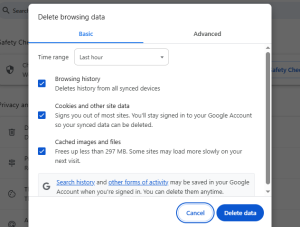
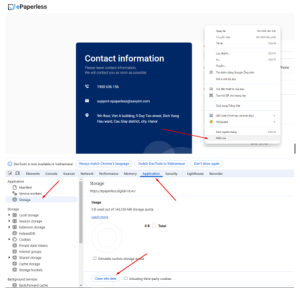
During use, web data will be saved in the browser's temporary memory, these data sometimes fail due to many different reasons such as: loss of connection, duplication with other websites, computer crashes when saving data, browser with malicious code, etc.
Therefore, when encountering some abnormal errors such as: unable to operate, unresponsive buttons, broken interface, etc., users can clear web data. There are 2 ways to clear web data:
If errors cannot be fixed through the documentation instructions, please report them to the Savyint team:
SAVYINT will not be responsible for handling errors in the following cases: